
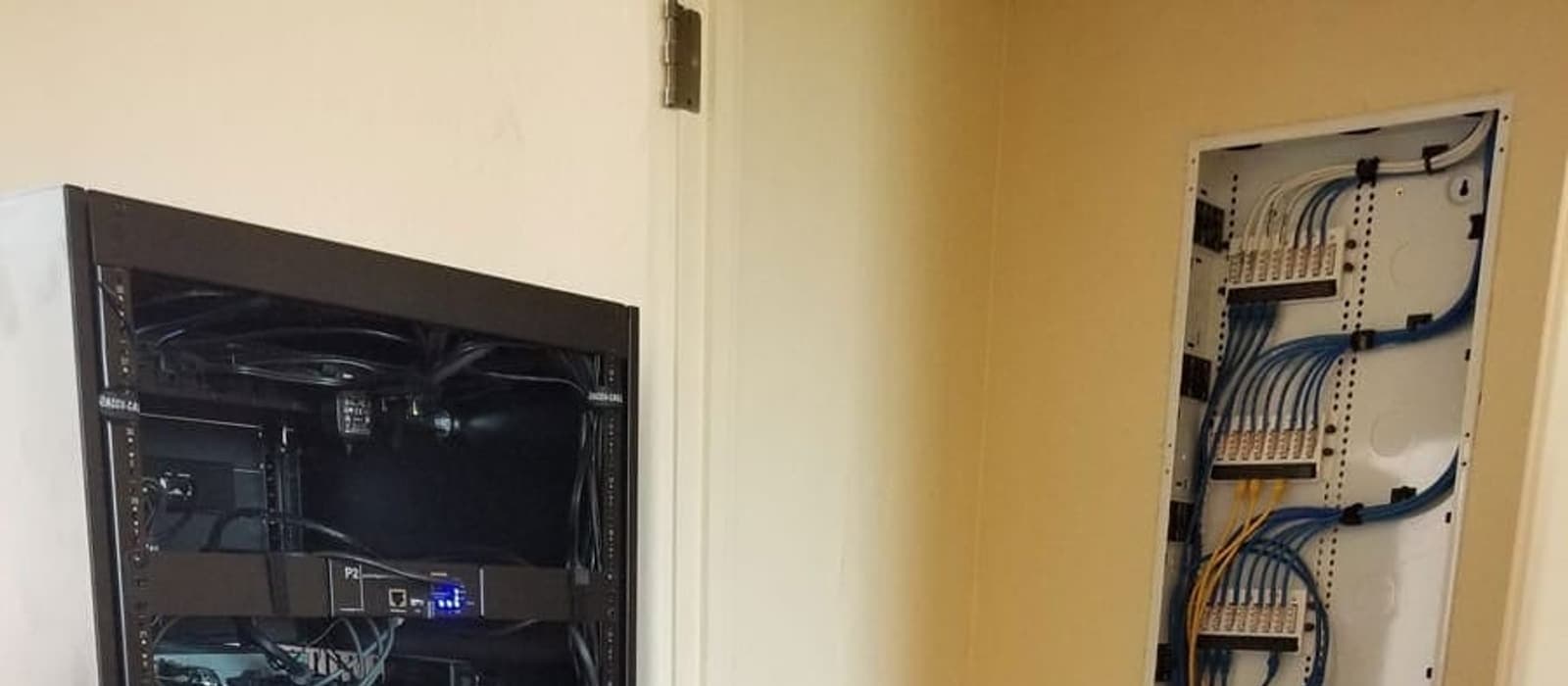
Why Your Smart Home Keeps Dropping (It Is Almost Always the Network)
The least glamorous line on the quote is the one that determines whether any of it works. What a house full of connected devices actually needs.
- Networking
- Automation
- Troubleshooting
When a smart home misbehaves — a camera that goes offline, a touchscreen that hangs, music that stutters in one room — the instinct is to blame the device. In our experience it is the network roughly nine times in ten.
This is also the least glamorous line on any quote, the one clients most often ask to cut, and the one that determines whether everything else works. So it is worth explaining what actually goes wrong.
The router your ISP gave you is not the problem — being the only one is
A combined modem-router-access-point does three jobs badly from one location. In a house with two or three devices that was fine. In a house with a controller, four touchscreens, six cameras, three streaming devices, a dozen lighting and shade controllers, phones, laptops and a smart doorbell, it is asked to do something it was never designed for.
The symptoms are recognizable: everything works near the router and degrades with distance; things drop out in the evening when household use peaks; a reboot fixes it for a few days.
Four things a connected house actually needs
1. Separate the roles
A router that routes, a switch that switches, and access points that do nothing but serve wireless clients. Splitting these apart fixes more problems than any other single change.
2. Ceiling-mounted access points, wired back
Wireless coverage in a house is a ceiling problem. Access points mounted centrally and high, each with a wired connection back to the switch, cover a home far better than a mesh chain relaying through itself. This matters more in Tucson than in frame-built markets: block, stucco and the foil-backed insulation common here are genuinely hostile to wireless signal, and a mesh node relying on a marginal wireless backhaul through two block walls will disappoint.
3. Wire everything that does not move
Televisions, controllers, touchscreens, cameras, streaming boxes, game consoles — none of them move. Every one of those on a cable is one less device competing for airtime, which improves performance for the phones and tablets that genuinely need wireless.
4. Enough addressing, and sane segmentation
Default consumer router configurations often hand out a limited pool of addresses. A fully built-out smart home can exhaust it, at which point devices start silently failing to reconnect. Separating cameras and IoT devices onto their own segment also limits what a compromised cheap device can reach.
Where this bites hardest in Tucson
Older northwest-side and midtown homes are where we see it most. The house has been remodelled, the owner has added streaming, cameras and voice control over several years, and the network has never been touched since the internet was installed. Every new device makes it slightly worse and nobody can point to when it broke.
Larger properties on the southeast side — Vail, Corona de Tucson, Rita Ranch — have the opposite problem: the network is fine in the house and nonexistent at the gate, the shop or the casita, which is exactly where the cameras are.
What we do about it
We put the network survey at the front of the process, not the end, and we tell clients up front when the honest answer is "your automation will not be reliable until this is fixed." That is an unwelcome conversation before the quote and a much worse one after the install.
We carry Ruckus, Araknis, Eero and Wirepath, and we specify to the building — a two-story stucco home in Oro Valley and a single-story block house in midtown need different answers.
If your existing system drops out and you would rather diagnose than replace, we service systems we did not install. Get in touch or call (520) 999-3233.